Aug 20, 2026
Hertta
I’ve been working on a new project: Hertta hertta.ai
It’s an AI-based website generator, like Lovable or Bolt, but with three major differences:
- Content first: AI never generates, runs, or debugs code. Instead, all content management happens by creating and editing plain text.
- Live rendering: when you ask AI to generate a page, Hertta takes the server-sent event stream and starts rendering the page as content chunks arrive.
- Professional design: Hertta uses a decoupled design system, so every piece of content looks polished and consistent.
The site creation flow looks like this:
The front page of Hertta covers the problem and product in more detail. This post digs into the technical side and how the product is built.
Content first architecture
The biggest difference is that AI never generates code. Instead, all content is plain text: global settings and navigation, marketing pages, blog entries, app mockups, and HTML based visuals.
Take for example this table:
# example content nodetable:Eval GPT Sol GPT Terra GPT Luna GPT‑5.5 Opus 4.8===GPQA Diamond 71.2% 68.9% 64.1% 59.4% 70.8%FrontierMath 24.6% 21.3% 15.8% 12.1% 25.9%SWE-bench Verified 62.4% 58.7% 51.2% 48.3% 67.1%MMLU-Pro 81.3% 79.6% 74.2% 71.8% 83.0%AIME 2026 87.5% 82.1% 73.4% 68.9% 85.2%Toolathlon 55.8% 52.3% 44.6% 41.2% 58.9%
Hertta has a dedicated renderer for each content type. Here’s the table renderer:
import { elem } from '../elem'import { format } from '../format'// render HTML <table>export function renderTable(str) {const { head, rows } = parseTable(str)const ths = head?.map(th => elem('th', format(th)))const trs = rows.map(cells => {const tds = cells.map(cell => elem('td', format(cell)))return elem('tr', tds)})return elem('table', [ths && elem('thead', elem('tr', ths)),elem('tbody', trs)])}
All rendering functions are simple POJOs (plain old javascript objects
) with no Node or Bun dependencies. That means the whole rendering engine can run in the browser, which is what makes streaming updates possible.
DOM programming
Hertta doesn’t use a web framework like React or Nue on the client. Instead, it operates directly on the DOM, which allows lower-level operations and a thin content management layer on top of a static website. Here’s a rough idea of how the streaming updates work:
// import DOM manipulation essentialsimport { domdiff } from './lib/domdiff'import { on, emit } from './lib/bus'import { $, DOM } from './lib/elem'// import business model / content managementimport { admin } from '.'// for each manual or AI streamed content event..on('create-delta content-edit', ({ content }) => {// render the page on clientconst html = admin.renderPreview(content)// create virtual domconst dom = DOM(html)// diff against real domdomdiff($('main'), $('main', dom), function(type, node) {// center the viewport to the updated elementscrollToCenter(node)})})
The UI is built with standard web components. I wrote a small factory method, define, so I could skip JavaScript classes:
define('chat-ui', function(root) {// component functionality here})
I’ll write a follow-up post about building reactive user interfaces with web components. It’s a broad topic and I don’t want to rush it here.
Modular design system
The design of each Hertta generated site is split into two parts: global includes and branding. The global includes make up about 90% of the CSS code. They handle functionality and layout, and carry very little style opinion. These styles are pulled in through configuration:
css:color-lightcode-highlightarticle-centereddrawer-fixedappear-flowpage-splitsdropnavchartslistsgrids
Branding
Each site defines its personality in a small CSS file. For example:
@layer brand {/* warm main colors */body {background-color: #faf9f5;color: #62615e;}/* serif-style display font */h1, h2, h3 {font-family: garamond, charter, georgia, times;}/* titles and subtitles */h1 {font-size: clamp(2.75em, 7vw, 4.25em);letter-spacing: -4%;text-wrap: balance;max-width: 10em;margin-block: 0;line-height: 1;+ p {font-size: clamp(1.125em, 2.5vw, 1.5em);margin-bottom: 1.5em;text-wrap: balance;max-width: 30em;}}}/* etc ... */
Even a file this small can make your site look entirely different:
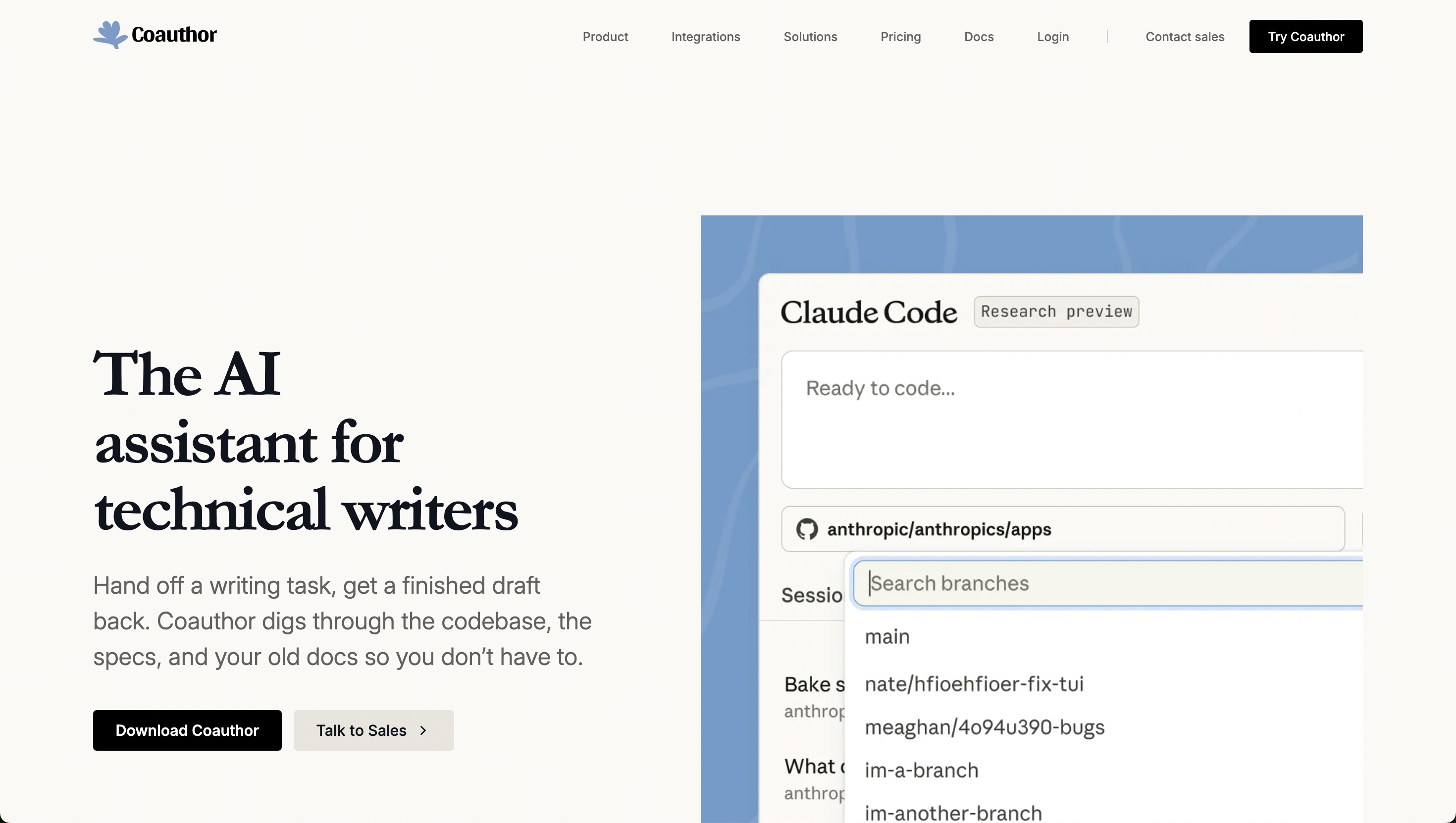
You can edit this file directly from the admin, or let AI handle more complex design tasks.
Contact me
Email me at hi@tipiirai.com. I reply to every human, non-sales message. I’m always interested in helping if there’s an ambitious web-based product in the works.